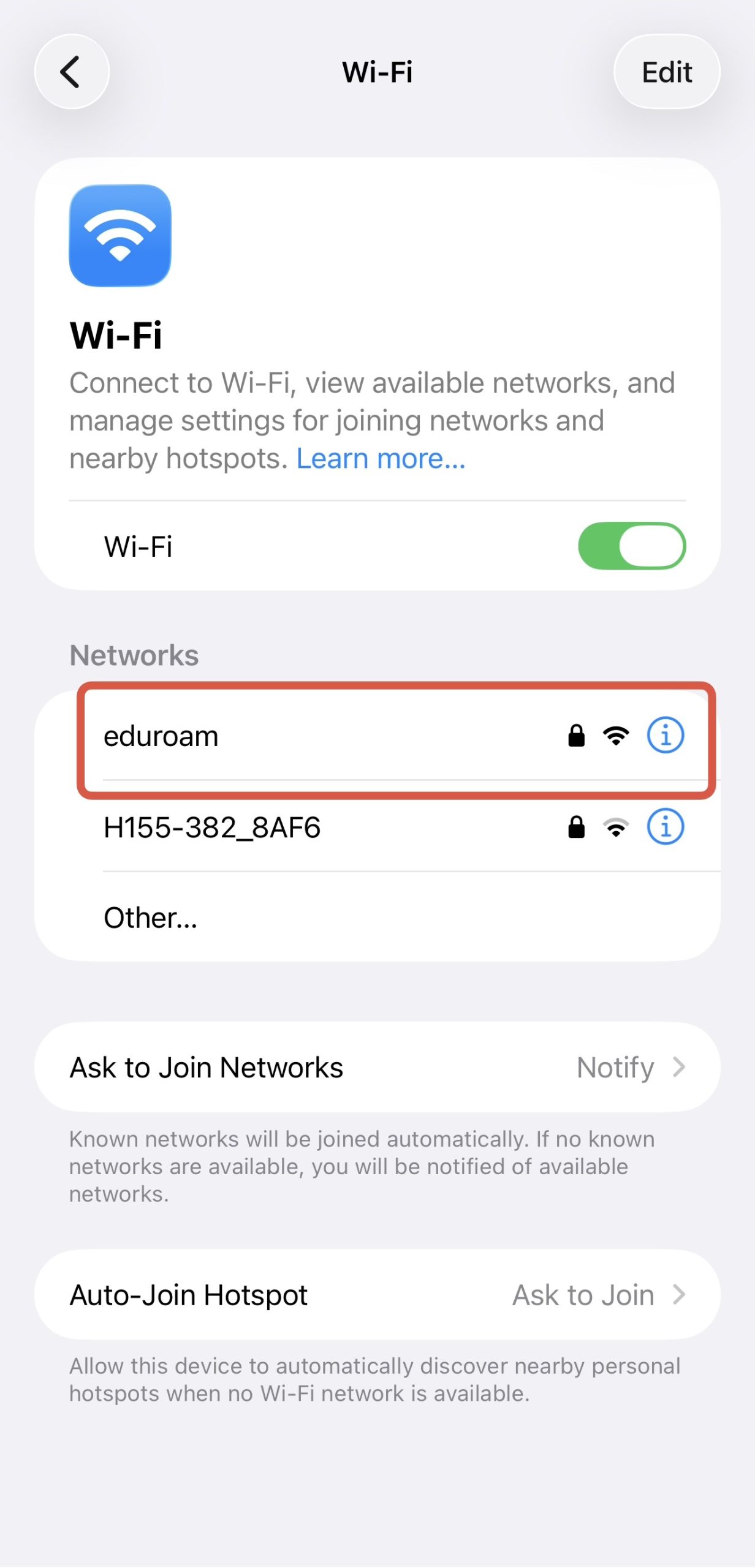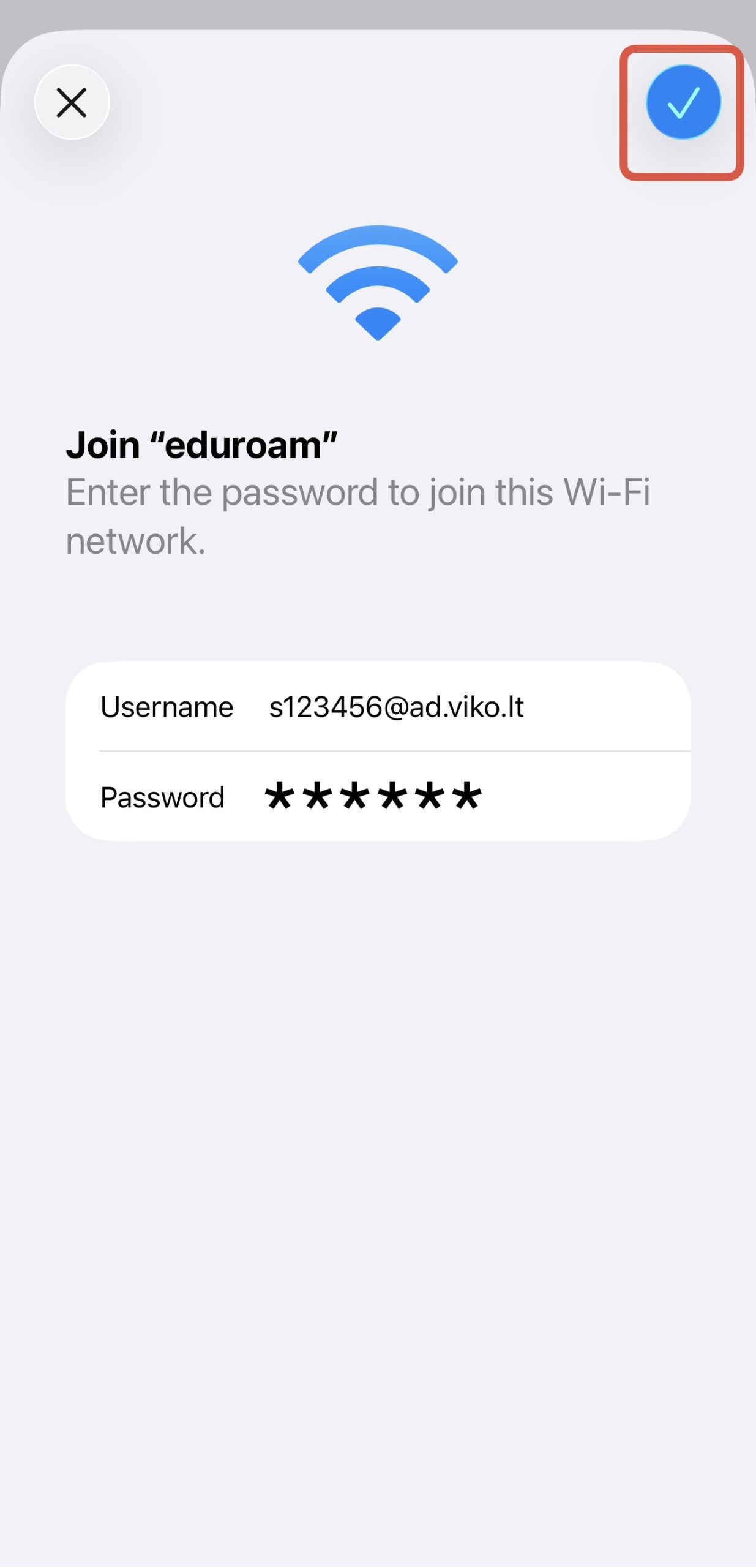
To connect to the eduroam network, you need to enter your login name and password received at VIKO:
- Students’ login name is the letter s, 6 numbers and the server address.
For example, s123456@ad.viko.lt. - Employees’ login username consists of the first letter of their first name, a dot, their surname, and the server address. For example: v.pavardenis@ad.viko.lt.
- The password is the same as when connecting to other VIKO systems.
- By specifying the server address @ad.viko.lt in the login name, you will be able to use the eduroam network in other educational institutions.
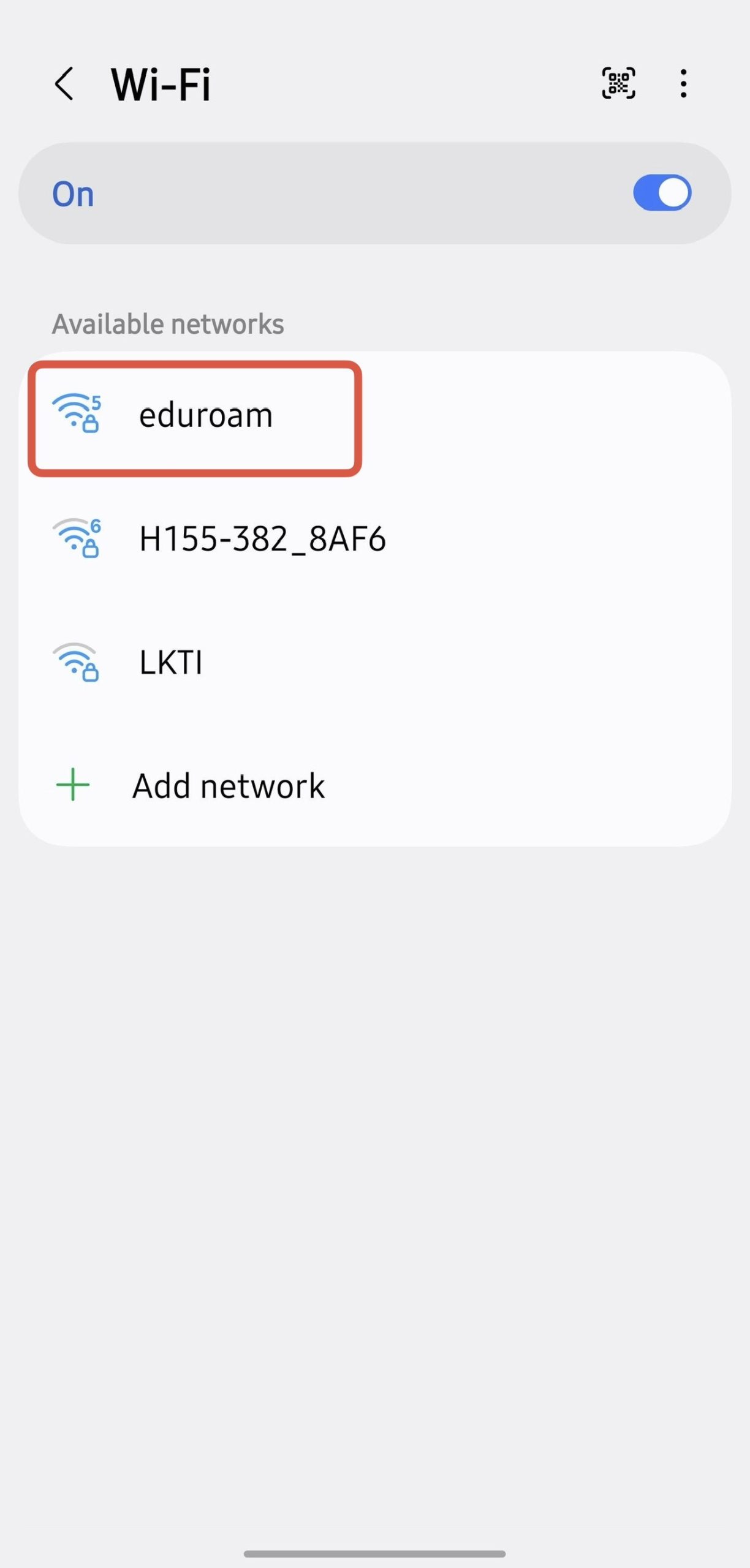
Connecting to the eduroam network from an Android device
- Turn on Wi-Fi on your mobile device.
- Select the eduroam network.
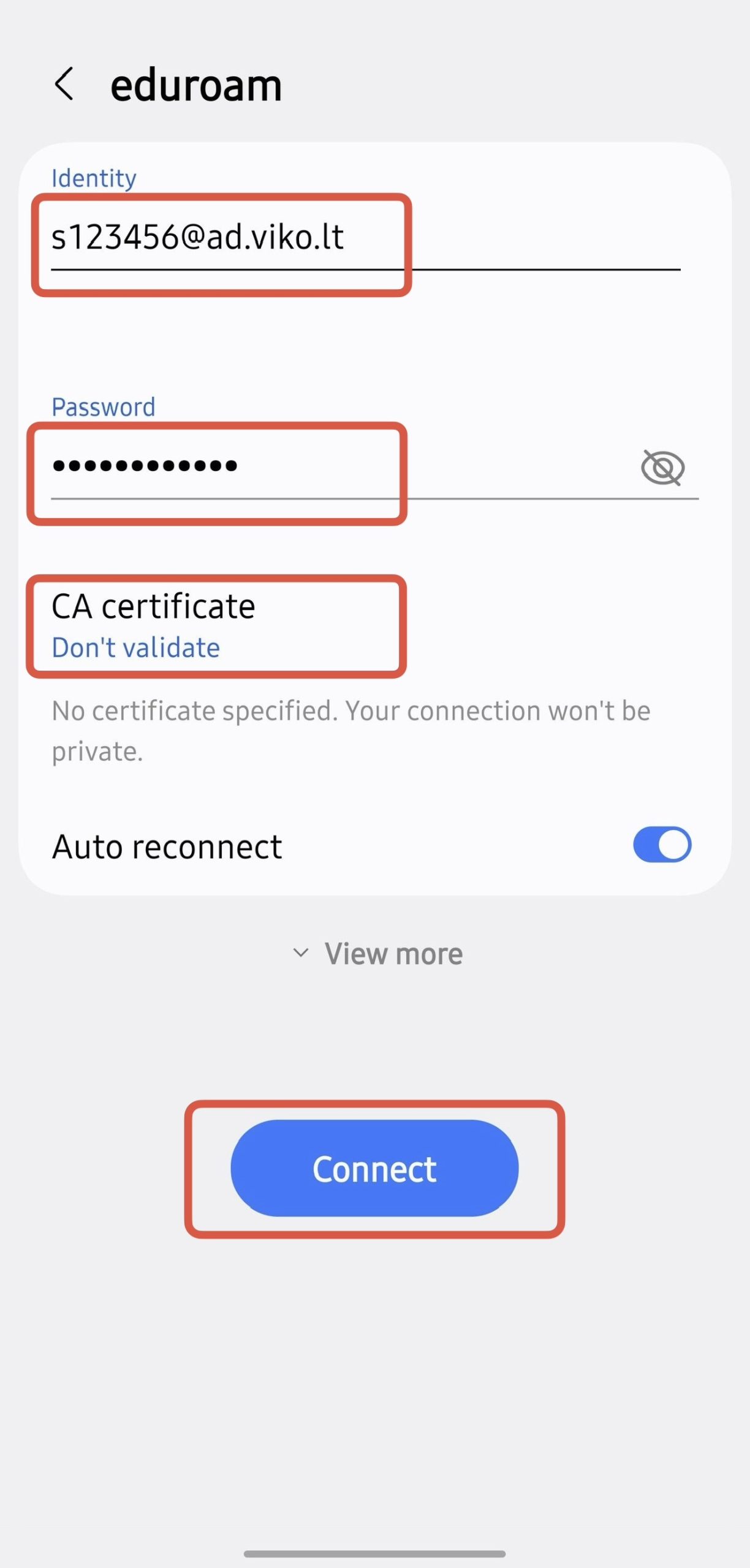
- Enter your login credentials – username and password. In the username field, specify the server address in the following format: s123456@ad.viko.lt.
In the CA certificate field, select Don’t validate. - Click connect. Please note EAP method should be PEAP or TTSL.
Connecting to the eduroam network from an iOS device
- Turn on Wi-Fi on your mobile device.
- Select the eduroam network.
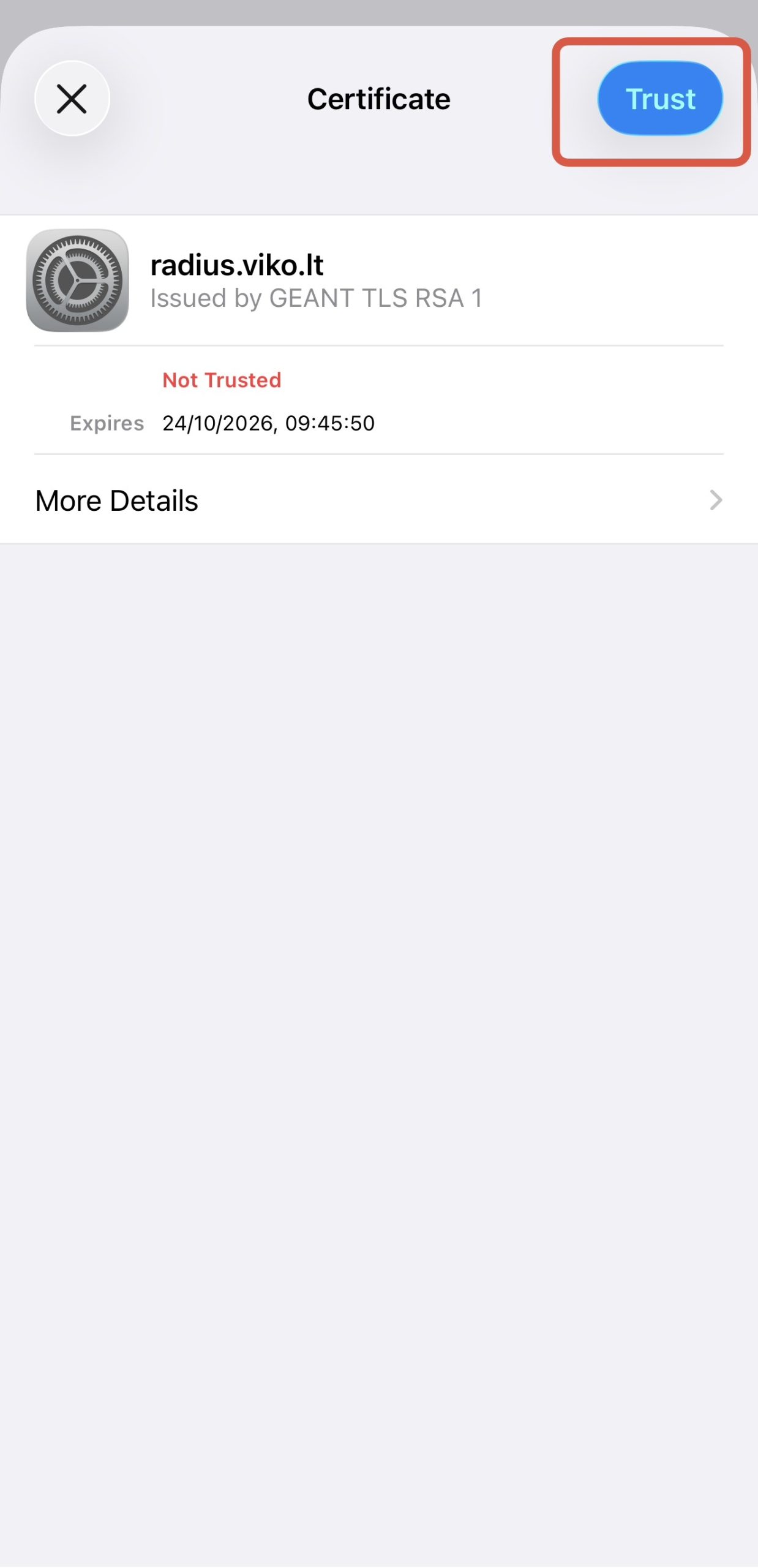
- In the certificate window, click Trust.
- Enter your login details: login name and password (indicate the server address @ad.viko.lt in the login name). Click Join